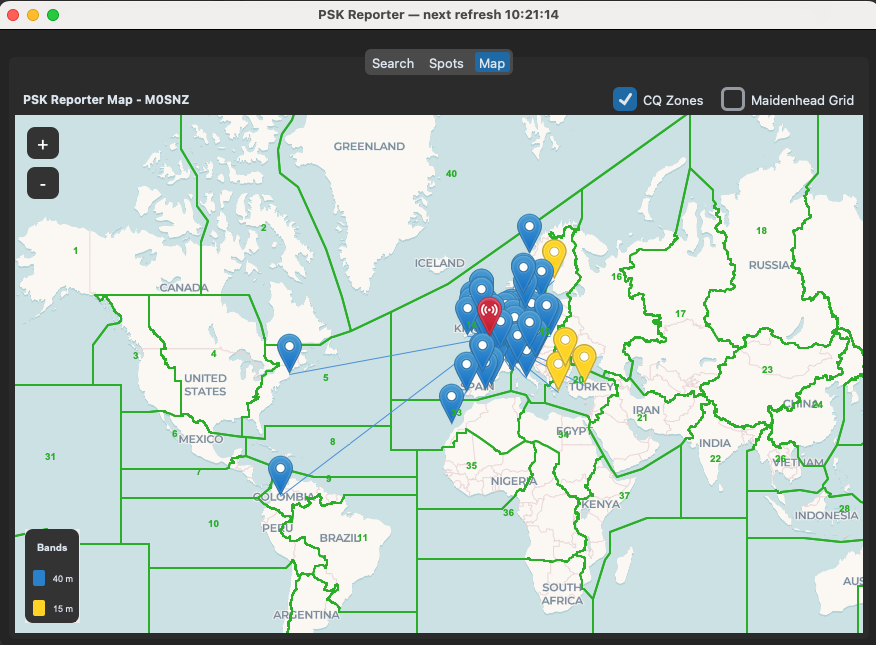
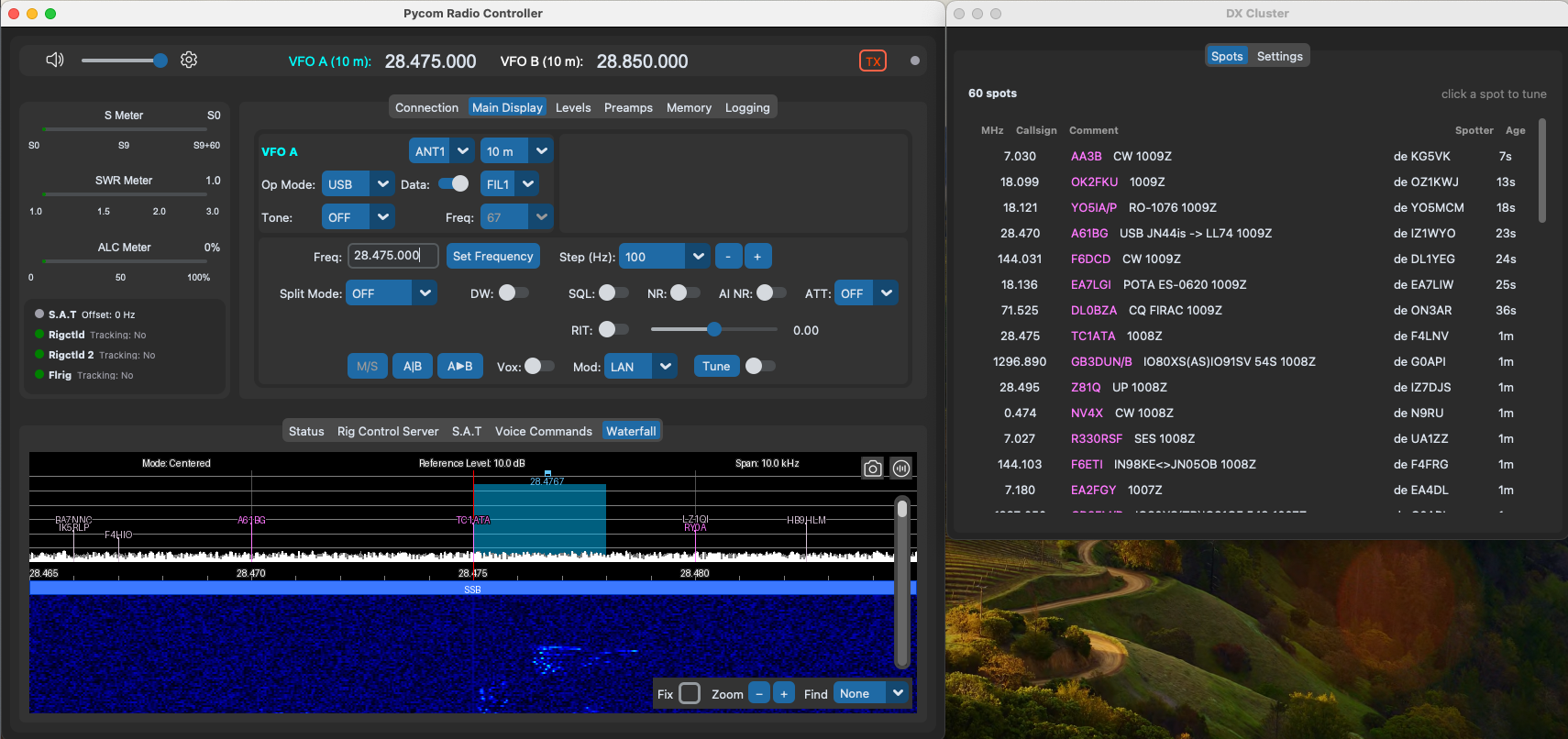
Two views of who is on the air: the DX cluster tells you what other stations are working, and PSK Reporter tells you who is hearing you. The DX cluster marks both the waterfall and the map; PSK Reporter draws on the map.
DX Cluster
Connect to any DX cluster node over telnet. Spots are filtered, listed in the DX Cluster window, and annotated on the waterfall and map at the correct band position; clicking a spot tunes the radio to it. Spots are also fed to voice transcription as callsign hints, so a station you then hear over voice is easier to read out of the noise.
PSK Reporter
Your receiver reports are built in. Ask PSK Reporter who has heard you and the stations appear on the map: band-coloured markers with hover tooltips (callsign, grid, frequency, mode, SNR and the time heard), with propagation paths drawn between the stations, over Maidenhead grid and CQ-zone overlays and a legend for the bands in view. You can query a station as the receiver instead and see who that receiver has heard. Auto-refresh keeps the view current even while the window is closed.