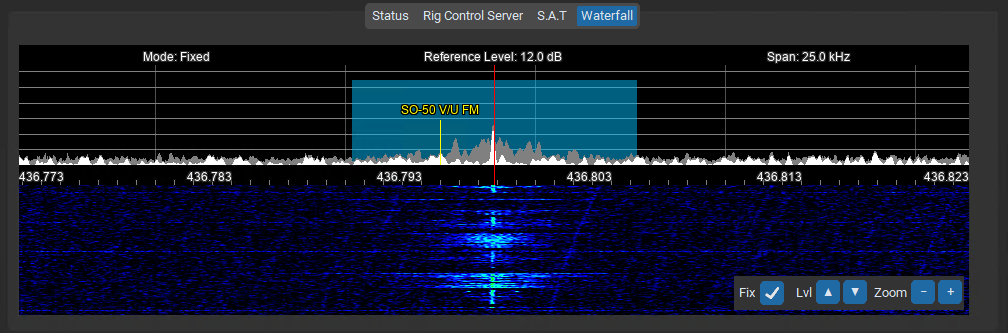
The Waterfall tab displays a spectrum of signal activity over time. The equaliser has a hortizontial line every 10 kHz, while the frequency label bar has 1 kHz markers.
Each of your saved memories RX frequency is overlaid on the waterfall as a marker for reference.
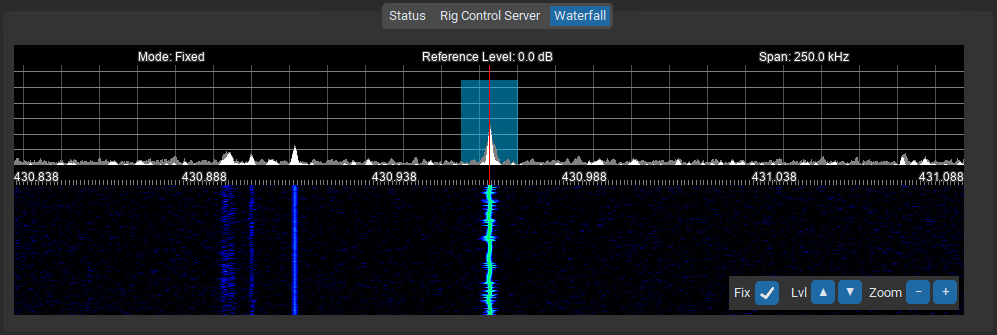
Controls
- Fix: stops wallfall shifting on frequency change, useful when tracking with doppler shift.
- Lvl: Adjusts the reference level (▲/▼ buttons).
- Zoom: Changes the frequency span (+/- buttons).
Use these controls to customize the waterfall view for signal analysis.
The round launcher button at the top-right of the waterfall opens the Audio Scope — a fine-resolution view of your receive audio, with recordings and scheduled captures.